Step by Step Setup / Install of Java SE Development Kit 8 on OS X Yosemite
Download the Java SE Development Kit 8
Open Browser and proceed to Oracle's
Java SE Downloads page
Click
JDK DOWNLOAD button to goto the
Java SE Development Kit 8 Downloads page
You must
accept the Oracle Binary Code License Agreement for Java SE to enable links for downloading the JDKs.
Select the
Accept License Agreement radio button and then will be prompted the message:
Thank you for accepting the Oracle Binary Code License Agreement for Java SE; you may now download this software. You are now ready to download the binaries by clicking the corresponding Download link e.g. jdk-8u60-macosx-x64.dmg
Install Java SE Development Kit 8
Open the installer by double-clicking the downloaded Apple Disk Image file e.g
jdk-8u60-macosx-x64.dmg
Double-click the pkg icon e.g.
JDK 8 Update 60.pkg icon to start installation.
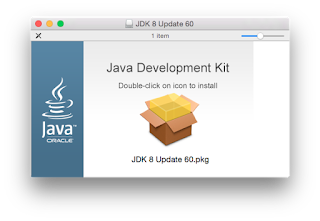
You will be prompted with Welcome to the
JDK 8 Update Installer screen. Press the
Continue button.

You will then be prompted with the start of the installation confirmation screen. Press
Install button.
You will be prompted to enter administrator credentials in order to continue with the installation. Enter
Password and press
Install Software button to continue with the installation.
Follow installation instructions and press Close when
You will be prompted with the installation was completed successfully screen and press
Close button to finish installation.
Once completed, set environment via ~/.bash_profile
$ export set JAVA_HOME=/Library/Java/JavaVirtualMachines/jdk1.8.0_60.jdk/Contents/Home
Verify Installed JDK
Verify installed JDK via java -version command.
$ java -version
java -version
java version "1.8.0_60"
Java(TM) SE Runtime Environment (build 1.8.0_60-b27)
Java HotSpot(TM) 64-Bit Server VM (build 25.60-b23, mixed mode)
Uninstall an existing JDK
List installed Java Virtual Machines via ls command
$ ls /Library/Java/JavaVirtualMachines
jdk1.8.0_51.jdk jdk1.8.0_60.jdk
To uninstall an existing JDK, issue rm -rf /Library/Java/JavaVirtualMachines/jdkmajor.minor.macro[_update].jdk command for a specific jdk e.g jdk1.8.0_51.jdk
$ sudo rm -rf /Library/Java/JavaVirtualMachines/jdk1.8.0_51.jdk
Password:*


